Every Verasight Self-Serve study starts with your survey instrument. Build it in Qualtrics or another survey platform, or let Doc2Survey turn your Word questionnaire into a Qualtrics survey file.
#Choose a survey platform
Verasight Self-Serve works with Qualtrics or any survey platform that can record link values and support our redirects. Your platform has to store the values we add to the survey link, so we can track which respondents need to be compensated.
Connect your survey walks through both, step by step for Qualtrics.
#Program your survey with Doc2Survey (optional)
Doc2Survey is an optional, free tool built into Verasight Self-Serve. It takes your Word questionnaire and converts it into a Qualtrics survey file (.QSF), so you do not have to program the survey by hand. You need a Qualtrics account to use the file.
Doc2Survey also has its own page on the Verasight website.
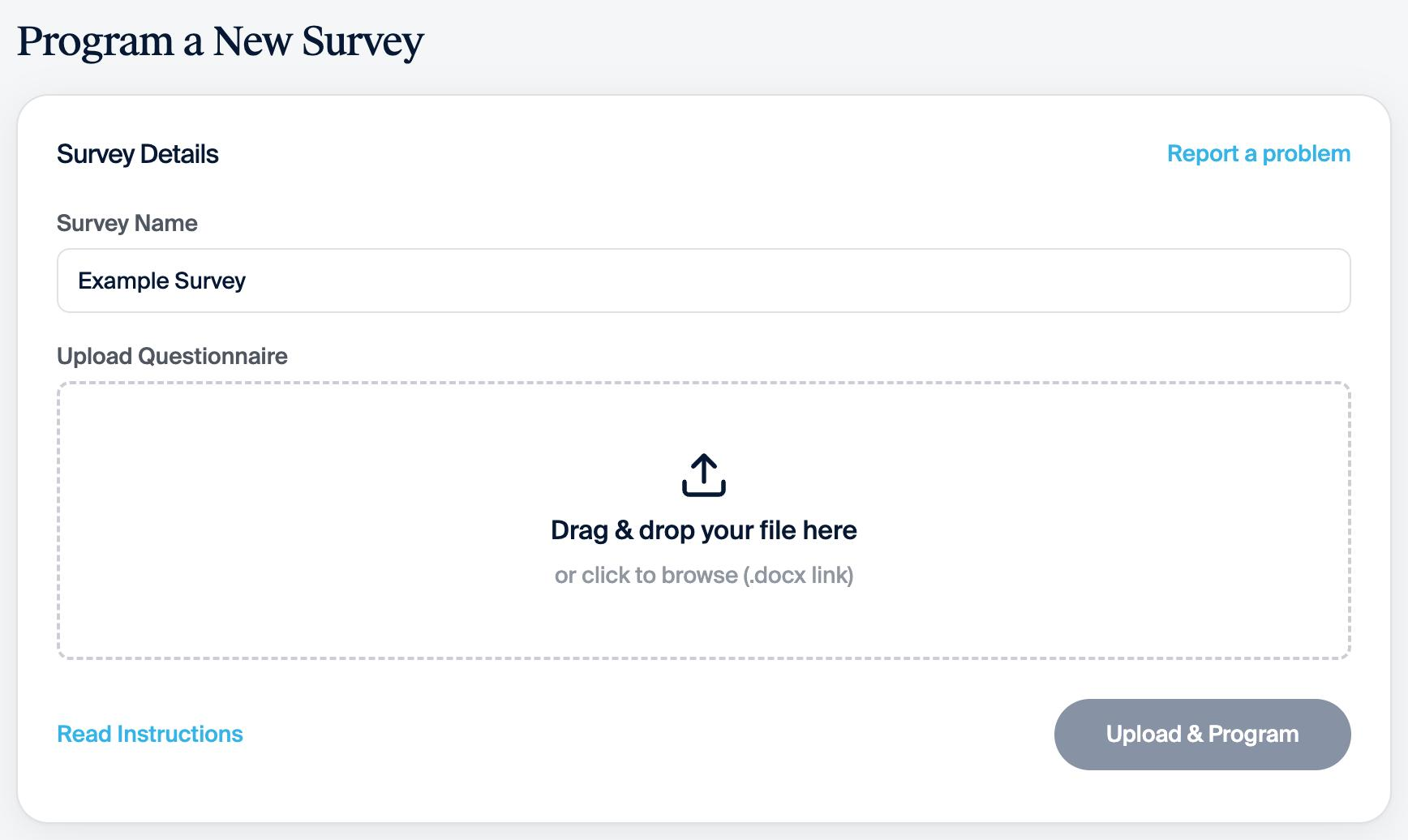
- In Verasight Self-Serve, click Doc2survey at the top of your dashboard.
- On Program a New Survey, enter a name in Survey Name.
- Under Upload Questionnaire, drag your Word file (.docx, up to 10 MB) into the box, or click the box to browse for it.
- Click Upload & Program.
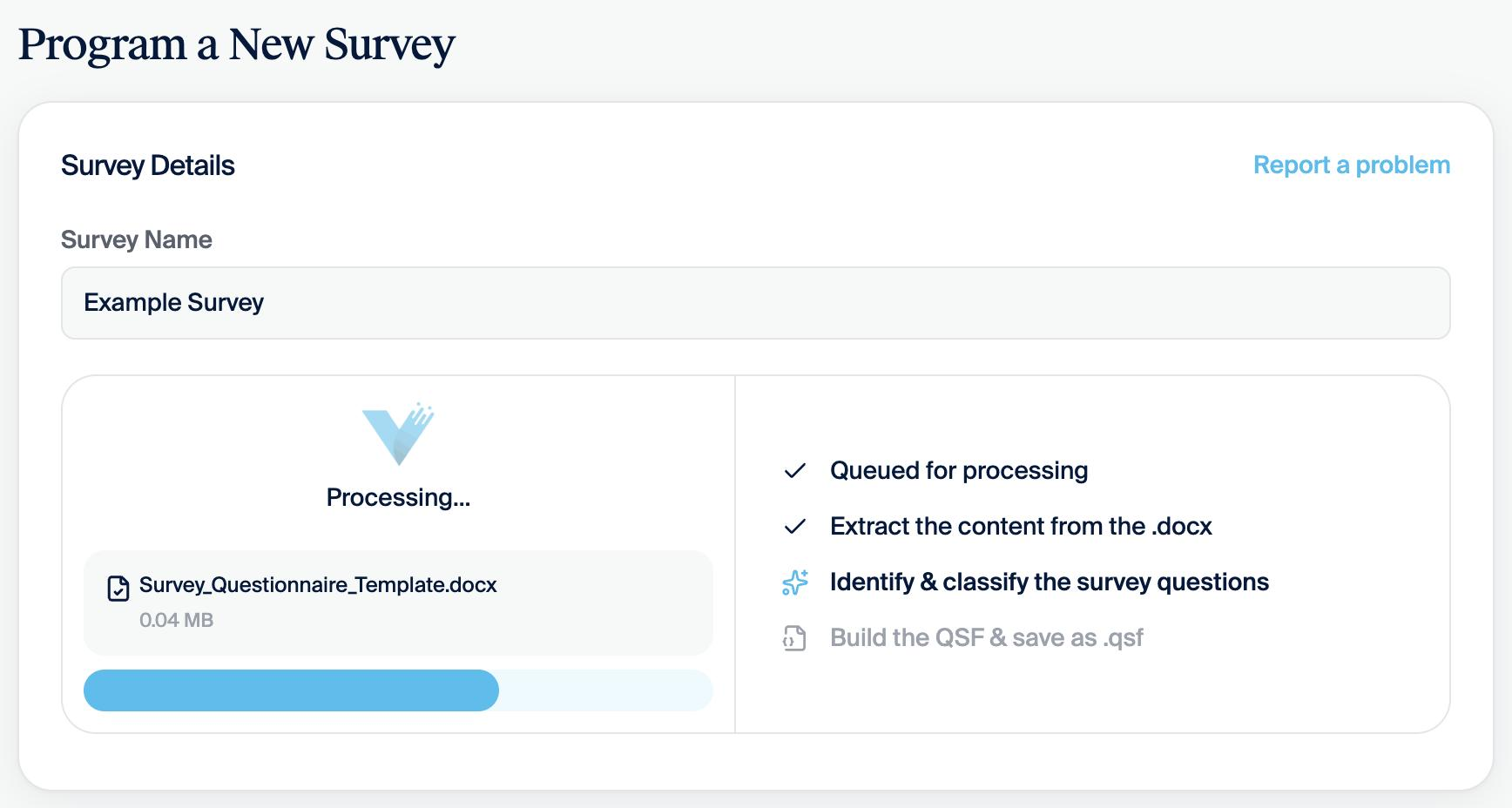
Processing takes a couple of minutes. The page shows each stage as it runs:
- Queued for processing
- Extract the content from the .docx
- Identify & classify the survey questions
- Build the QSF & save as .qsf
- When processing finishes, your survey appears under Previous surveys.
- Click Download QSF to get the Qualtrics survey file.
- In Qualtrics, import the .QSF file as a new survey.
- Review the programmed survey in Qualtrics before you connect your survey.
Under Previous surveys, Download in the Questionnaire column gives you the full questionnaire.
#If your questionnaire is a Google Doc
The easiest way is to download it as a Word document (.docx) first, then upload that file.
#What Doc2Survey supports
Doc2Survey programs these question types:
- Multiple choice, single select
- Multiple choice, multiple select
- Text entry, single line
- Descriptive text block
- Matrix, single select
- Matrix, multiple select
- Slider
- Rank order
It also programs this survey logic:
- Termination logic
- Display logic
- Skip logic
- Response randomization
- Block randomization
- Loop and merge
To specify survey logic, use annotations in square brackets; for example, [RANDOMIZE] to shuffle response options, [TERM] to terminate unqualified respondents, [DISPLAY IF Q1 = Yes] to show a question conditionally, and [ANCHOR] to pin options like "None of the above" at the bottom of a randomized list.
Your Word document should list numbered questions, with each response option on its own line beneath the question.
For a complete example of every supported question type and annotation, click Read Instructions on the Doc2Survey page, or download the Survey Questionnaire Template. The template also shows screener questions and a redirect to another panel. Leave those out of a Verasight Self-Serve survey and use our redirects instead.
Under the survey rules, termination logic may end the survey early only for respondents who decline consent or fail an attention check.
#Report a problem
If a conversion looks wrong, email research@verasight.io. We want your feedback on Doc2Survey.
#What your survey does not need
Every sample includes our standard demographic profile variables, so you do not need to ask those questions in your survey.
Before you set up your survey in Self-Serve, check it against the survey rules.